
Website showcase
Try a task on One Stop Driver Training’s live website. Follow a learner preparing for a restricted licence, then see what changes when an employer organises training for a team.
Live walkthrough
Book a driving lesson
Imagine you hold a learner licence and want a practice session before your restricted test. You can explore as far as the calendar without entering learner details.

Find your stage of licence
On the training selector, compare the first-lesson, restricted and full-licence paths. Choose the restricted option to see the preparation lesson.
Open One Stop’s training selectorChoose a car and location
The restricted lesson page lets you use a One Stop car or bring your own. Select a region and area to see how the booking calendar responds to your choice.
Open the restricted lessonCheck the lesson before checkout
Read the duration, licence requirement and meeting-point information alongside the booking options. The learner can check these details before deciding to book.
Arrange training for a team
An employer has an extra decision. Staff can join a scheduled public course, or the employer can ask One Stop to plan training around a group or worksite.
- For a scheduled course
- Open the team booking form. Compare the organisation contact fields with the learner fields to see who receives the confirmation and who attends the training.
- Explore the team booking form
- For a tailored session
- Start on the organisations page. Review the workplace and onsite training options, then follow the enquiry route for a group with specific requirements.
- Explore group training
Project scope
One Stop Driver Training
Xcelerate built the public website and booking workflow. The project profile shows the other side of the booking, including the team calendar, daily routes, employee management and instructor assessments.
See the staff CRM screensThe Blackhood Bakes
The Blackhood Bakes is a Kāpiti bakery in Xcelerate’s client portfolio. Visit Kāpiti profiles its Ōtaki bakery in its guide to local bakeries.
Read the Visit Kāpiti bakery guideXcelerate’s own website
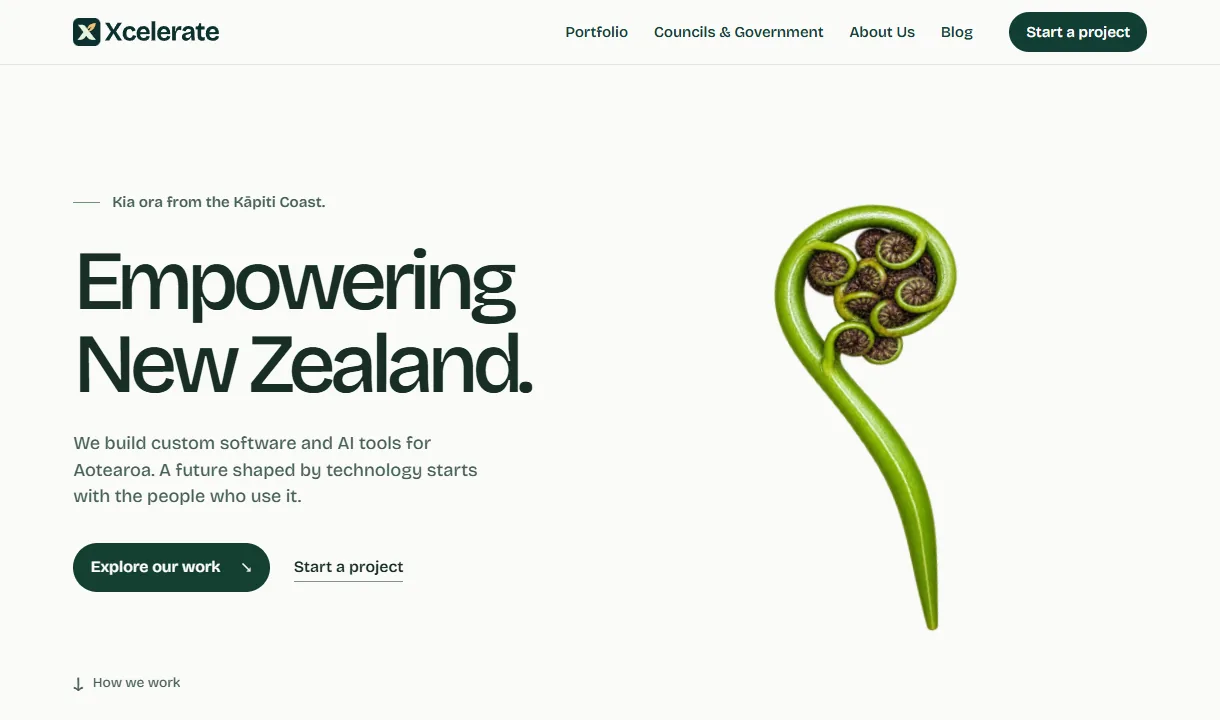
Our homepage gives a visitor two routes into a conversation. Someone with a specific task can start a project brief. Someone evaluating us can open a project profile and inspect the work first.
Try the second route. Open the homepage, choose “Explore our work” and follow the One Stop project story. A public-sector evaluator can also follow the government buyer link to find our printable capability sheet.
Walk through the Xcelerate homepage